 ENG
ENG JPN
JPNCharge.Payment







This will guide you with the payment method for necessary funds to our company such as remittance fee, remittance amount, charge, etc.
Servive Fees(Without Tax)
Based on RupeeSend amount, the fee for RupeeSend is in three-step commission structure. No charge is required while the money is being received.
Please check overseas remittance simulator that can convert remittance amount at current exchange rate and simulate receipt amount
Remittance Amount
Remittance Fee
Deposit charge with remittance card (including consumption tax)
Transfer Amount Money
ATM
Counter
Remittance cancellation fees (Without Tax)
Remittance amount that hasn't been collected by the beneficiary can be cancelled
※Please note that cancellation of remittance application can not be done after the payment to the payee has been completed
※We will transfer the refund amount to your account by deducting all fees and expenses.
Status
Cancellation charge
Charge for refund (including consumption tax)
The refund charge will be deducted while remitting the refund amount to the customer's account.
※ The bank's deposit fee and the transfer fee that will be incurred when transferring the remittance amount to our designated account will be borne by the user.
※ In case of refund made by a method other than bank transfer, such as registered mail, we will charge the actual expenses.
※ No refund charge required when refund is done at the counter.
Refund Account (Customer Account)
Less than 30,000 yen
Over 30,000 yen
Payment
For the payment method when applying for remittance with RupeeSend, you can choose from payment by bank transfer, remittance card or counter.
- Bank Transfer
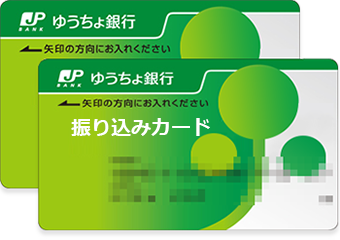
- Remittance card
- RupeeSend Counter
RupeeSend Remittance fund acceptance account information

Branch Name
Account type
Account Number
Account Holder
Account Symbol Number
 Sumitomo Mitsui Banking Corporation(Bank Code:0009)
Branch Name
Account Type
Account Number
Account Holder

- This card will be used for transfer only. It can not withdraw money.
- The remittance amount will be remitted after deducting the ATM transfer fee and the remittance charge of RupeeSend from the amount deposited by the remittance card. The exchange rate will be applied as announced by RupeeSend at the time of payment check office processing.
-

Post Bank Stores · ATM Usage Guide
Deposit fee of Yuucho Remit Card
Deposit Amount
ATM
Counter
※ Customer should bear the transfer fee charge while making the payment through Yuucho Remit Card.
Payment Available Time
Days
Japan Post Bank
Post Office
Branch office
※ Some post offices and some branch offices 9: 00-21: 00
Please Note
※ A single deposit will be regarded as one Send Money order. Please note that if you make 2 deposits, 2 Send Money orders will be carried out.
※ When applying for Yuucho Remit Card at the time of member registration, our company will send the Yuucho remit card along with the receipt for confirmation of identity.
※At a time, the maximum deposit limit at ATM is 100,000 yen. If it exceeds 100,000 yen, please visit the counter of Japan Post Bank. In that case, you may be asked to present an identification card at the counter of Japan Post Bank.
User Guide
Office Address
Nearby Station
JR Line Shinjuku Station : 10 Minutes walk
TEL
Office hours
Things to prepare in advance
- 1. Personal identification documents (Document that includes photo)
- Please prepare with any one of them: Driver`s License、Basic Residence Register Card, Passport (Japanese Passport)、Residence Card、Special Permanent Resident Certificate.
- About identity verification documents
- 2. The recipient's full name (in English)
- Please check the recipient's English name. Please note that if the name of the recipient and the name stated on the identification card differ when you apply, recipient may not be able to receive it.
- ※Payment done through Japanese Yen will only be accepted. Please do not use credit cards or debit cards